|
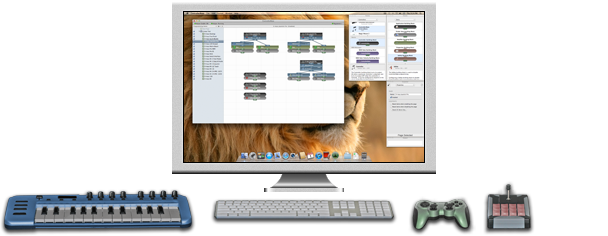
Building blocks and controller configurations allow you to customize
the behavior of your devices in an endless variety of ways.
|
|
|
Introduction to building blocks
ControllerMates building blocks represent controls on devices and the actions that those
controls can perform. There are building blocks that simulate keyboard actions, simulate
mouse actions, run AppleScripts, perform logic, perform calculations, perform timing
actions, and others. After each building block performs its particular action, it may
create a value which can be used to trigger other blocks. By linking together several
building blocks of different types, complex sequences of actions can be constructed.
|
Source building blocks
Source building blocks represent controls on devices. Most source blocks represent
individual controls, Button Group building blocks represent an arbitrary set of buttons.
A building block which represents a button (or set of buttons) creates an ON/OFF value
depending upon the current state of the button(s). Building blocks which represent
axes, sliders, dials, hatswitches, etc. create a Number value which indicates the
position or movement of the control.
|
Output building blocks
Output building blocks simulate keyboard or mouse actions. These are the building blocks
which generate events that can be used by other applications while ControllerMate is in
the background. Most output building blocks can be configured to perform different
actions when they are turned on and when they are turned off.
|
AppleScript building blocks
AppleScript building blocks run AppleScripts. Some AppleScript blocks use the value
that is created by the AppleScript to pass to other building blocks.
|
Logic building blocks
Logic building blocks combine ON/OFF values in various ways. Standard combinational
logic functions such as AND, OR, NOT, and XOR are available. Other building blocks
perform higher-level logic functions such as toggles and latches.
|
Math building blocks
Math building blocks combine or generate Number values. Some math building blocks convert
ON/OFF values into Number values; some convert Number values into ON/OFF values;
and others modify Number values into other Number values.
|
Timing building blocks
Timing building blocks create time delays or perform an action based on the time
between events. The Delay, Dwell, and Pulse blocks are used to insert time delays
in different circumstances. The Auto-Repeater block creates automatically repeating
events. The Pulse Count block is used to detect events such as double-clicks and
triple-clicks.
|
Organizing building blocks on Pages
When building blocks are created, they are placed on pages. A page can contain any
number of building blocks and can either beenabled or disabled. When a page is
disabled, none of its building blocks are active. In order to keep things organized,
it is sometimes helpful to divide the building blocks among different pages. By
doing this, at any given time certain groups of building blocks may be active while
others are inactive.
|
Organizing Pages in Groups
In addition to organizing building blocks into different pages, pages may be split up
into different groups. A group may contain pages or other groups and may be enabled or
disabled. When a group is disabled, none of the building blocks on its pages are
active. A group may also be given certain application requirements. A group can be
configured such that it is active only when certain applications are running, or if
certain applications are not running.
|
Controller configurations
Controller configurations allow you to change the default behavior of controls on
keyboard and mouse devices. Keyboard keys can be configured to behave like keys,
mouse buttons can be configured to act like different mouse buttons, and mouse
devices can be given custom acceleration curves. Controller configurations can
be individually enabled or disabled. When a controller configuration is disabled,
it has no effect on the operation of the device. Multiple controller configurations
can be created for the same device. By enabling and disabling controller
configurations, the operation of a device can be completely changed very quickly.
|